The processor is the part that failed, except it never actually broke. Your desktop boots and runs exactly as it did the day you bought it, yet PC Health Check calls the chip unsupported and Windows 11 refuses to install. Until June, patches for it were due to stop in October 2026. Then the Windows 10 ESU extension changed the arithmetic. The PC gets another year. What that year costs you is the real question, and the answer is rarely money.
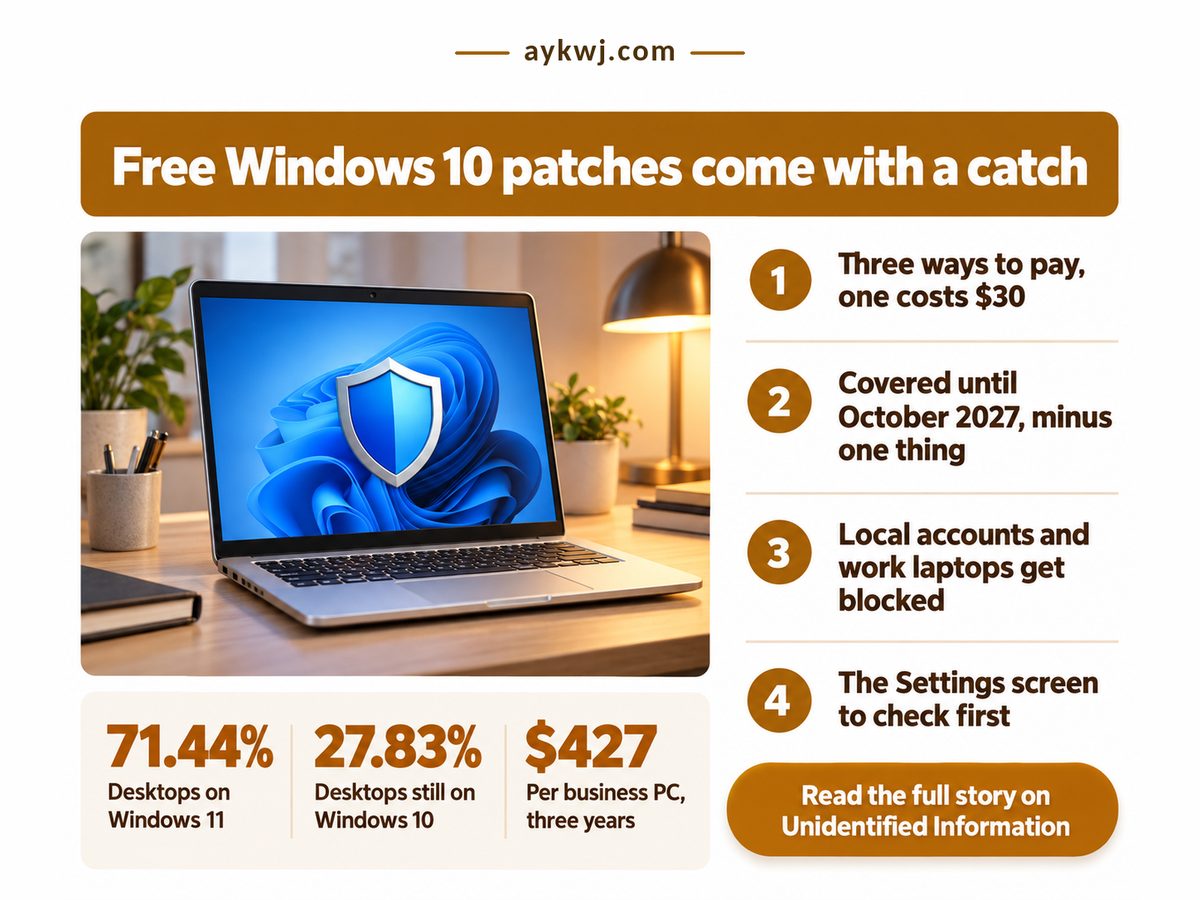
BleepingComputer reported on 25 June 2026 that Microsoft had quietly moved the consumer end date to 12 October 2027. No pop-up announced it, so don't wait for Windows to tell you.
Key Takeaways
Almost nobody needs to pay for the extra year: a free backup sign-in or banked Rewards points get the same security patches until 12 October 2027.
- Enrolled last year? You stay covered automatically, with no second payment.
- Every route, the paid one included, needs an administrator Microsoft account, so paying never saves a local-only setup.
- One enrollment can cover a whole household's eligible PCs.
- Laptops still managed by an employer are blocked until they are wiped and released.
Is Windows 10 ESU extended to 2027?
Yes, consumer Extended Security Updates for Windows 10 now run until 12 October 2027, one year past the original cut-off, and anyone already enrolled keeps receiving patches without signing up again or paying twice.
That second half matters most. BleepingComputer says existing enrollments carry over on their own, so if you signed up last year you have nothing to do.
Getting in is cheaper than the headline price suggests. Help Net Security's 26 June rundown lists three routes: switch on Windows Backup, redeem Microsoft Rewards points, or pay $30 plus tax for the year. Two cost nothing in cash. The catch is that each one requires an administrator Microsoft account, so the free year is paid for in synced settings and in the offline local account you may have kept on purpose. For most people that is a fair trade. If you have already weighed cloud storage against a local NAS, you know which side of that line you sit on.
A PC that still works should run as long as it can be kept safe, the logic behind a repair score that asks when repairing beats replacing. Four numbers decide it. The business price is BleepingComputer's, the Rewards threshold Help Net Security's; the countdown from 5 October 2026 and the price gap are this article's arithmetic.
Days of Patches Left
372 days
Time to plan, not panic
Business Price per PC
$427
Three years, no free route
Rewards Points Needed
1,000
Free if already banked
Business vs Home Price
14x
Office PCs may be cheaper replaced
The countdown is the one to act on. It is long enough to skip a panic purchase and wait for a sale, and short enough that a Windows 10 PC in late 2027 is a choice you made.
A year of patches for the price of a sign-in is a good deal. Just know that the sign-in, not the money, is what Microsoft is collecting.
Side by side, the free and paid routes differ less than the price implies.
Windows 10 ESU extension: backup, points or pay?
Choose the free Windows Backup route if you are content to sync settings to Microsoft, use Rewards points if you have them banked, and pay only when you refuse cloud sync but accept a Microsoft account.
Points sit in the verdict row because, once redeemed, they act like the paid license without the charge.
| Dimension | Backup vs paid | What it means for you |
|---|---|---|
| 💰 Upfront cost | Backup $0 Paid One fee plus tax |
✅ Most homes never hand over cash |
| 🧾 Cost per PC | Backup $0 Paid As low as $3 a year |
✅ One fee spreads thin across a house |
| 📊 PCs covered | Backup Up to 10 Paid Up to 10 |
✅ Spare laptops ride along for nothing |
| ⏱ Cover ends | Backup 12 October 2027 Paid 12 October 2027 |
✅ No re-enrolling if you joined before |
| 🔒 Data trade | Backup Settings sync to the cloud Paid Nothing forced to sync |
⚠️ Free route spends privacy instead |
| ⚖️ Account rules | Backup Admin Microsoft account Paid Admin Microsoft account |
❌ Local-only setups must convert anyway |
| 🔋 Managed PCs | Backup Blocked if domain or MDM Paid Blocked if domain or MDM |
❌ Ex-work laptops need a wipe first |
| 🏁 Best suited for | Backup Already on a Microsoft login Paid PCs that never cloud-sync |
🏁 Banked points beat both routes |
Read down the right-hand column and the paid route buys one thing: not syncing your settings. It rescues no local account and unlocks no managed laptop. Both June reports say one license stretches across a household; the per-PC cost above is this article's division, not a quoted price.
More than a quarter of Windows desktops share your Windows 10 slice, so take the free year and plan calmly rather than replace in a hurry. Source: StatCounter, September 2026 desktop share from a page-view sample, accessed October 2026.
The bigger slice cuts the other way: new apps and drivers will target Windows 11 first, so the extra year buys security, not parity.
Can I use Windows 10 ESU with a local account?
No, every enrollment route, including the paid license, requires signing in with an administrator Microsoft account, so a local-only Windows 10 setup has to convert before it can receive the extended patches.
Here the common advice goes wrong. Skeptics of the backup route are told to just pay, as if money bought back the local account. It doesn't. Help Net Security adds that child accounts are excluded, which catches the hand-me-down laptop a teenager uses.
The other wall is management. BleepingComputer lists PCs joined to Active Directory or Microsoft Entra, or enrolled in device management, as ineligible; merely Entra-registered PCs can enroll. A laptop bought from your employer may stay locked out until it is wiped and released. Reclaiming a machine from a system you do not control is a familiar fight; the EU's rules on what leaving a cloud provider costs show how far regulators think that freedom should go.
And ESU delivers security fixes only, under Microsoft's program terms: no new features, no technical support. Your PC stays safe online. It gets no newer, or, well, no faster either.
- Do not wait for a prompt: the enrollment option sits in Settings, under Windows Update.
- A PC on a child account cannot enroll until an adult admin account is added.
- Check Access work or school on any ex-work laptop first.
Take the free year if every line here is true of your PC
- Only the Windows 11 checker objects; the machine still does its job.
- You can accept an administrator Microsoft account on it.
- Nothing is listed under Access work or school.
- You know where its files go when the patches stop.
This week, open Windows Update on every Windows 10 PC in the house. If the enrollment link is there, take the backup route unless you have points banked, and pay only for a machine you refuse to sync. If the link is missing, fix whatever blocks it now, not in September 2027.