Showing posts with label Technology. Show all posts

Friday, July 24, 2026

The Repairability Index Changes How India Buys Phones In 2026

Your screen cracks on a Tuesday. The service centre quotes more than half of what the phone would fetch on resale, the man at the counter shrugs, and somewhere behind your eyes a voice starts saying just buy a new one. That voice has been winning in India for fifteen years. A government scoring system is about to make it argue its case in public.

The Repairability Index Changes How India Buys Phones In 2026
TL;DR: India is putting a one-to-five repair score on phone and tablet boxes, covering spare parts, disassembly, tools and software support. It will not lower your repair bill. What it does is expose which brands built a device you can actually fix, before you hand over the money.

Why a Repair Score Beats a Repair Bill

A committee under the Ministry of Consumer Affairs submitted its framework report in May 2025, and the design is refreshingly plain. Phones and tablets get rated one to five. One means a sealed brick. Five means someone can reach the battery and the display without a heat gun and a prayer. Manufacturers declare the number themselves against a standard scoring system, and it has to appear where a buyer will actually see it, on the packaging and at the point of sale, online and off.

Most of the coverage has filed this under e-waste policy. That reading is too small, and it misses who the score is really for. A repairability index is a purchase-time signal, not a repair-time one. By the time your display is in three pieces, the decision has already been taken for you, roughly three years earlier, by whoever specified the adhesive and the screw type. The score drags that choice forward to the shelf, where you can still do something about it.

And the ground it has to cover in India is wide. Repair pricing here in 2026 stretches from about Rs 499 for a charging-port clean-up to Rs 25,000 for a board-level job on a flagship, with Samsung display swaps starting near Rs 1,263 on entry models and climbing steeply from there. Independent workshops and official service centres quote different worlds for identical damage. Warranty terms differ by brand. Spare-part supply for a two-year-old mid-ranger can quietly dry up without any announcement at all. Four numbers frame that mess better than any price list.

Laptop USB-C Deadline
Dec 2026
Charging port mandate lands
Flagship Screen, Official
Rs 32,000
iPhone 16 Pro Max panel
Core Parameters Scored
6
Parts, tools, updates, more
Replace-It Threshold
40%
Of current resale value

That last threshold is the one worth memorising, because it is the only rule of thumb in this whole area that survives contact with reality. Work out what your handset would fetch today, not what you paid for it. If the quote climbs past that share of the resale figure, you are subsidising a machine that owes you nothing. Under it, repair almost always wins, and it wins by more than people expect once you count the cost of migrating your data and re-learning a new phone.

Repair It or Replace It: The Honest Comparison

Brand marketing will never lay these two options side by side, for obvious reasons. So here is the comparison across the dimensions that decide real regret, rather than the ones that photograph well. Read the last row first if you are standing in a shop right now.

DimensionRepair the phone you ownReplace it outright
Money out todayOne bill, known in advanceFull price, minus a thin trade-in
Time out of actionHours to days, depending on partsImmediate, if stock exists
Data migration effortNone, everything stays putA full evening, minimum
Effect on resale valueOfficial parts hold it, others dent itResets the clock entirely
Warranty positionThird-party work can void what is leftFresh cover from day one
Spare parts riskSupply thins out as models ageNot your problem for a few years
Software support runwayWhatever the old model has leftLongest available update window
E-waste footprintOne component replacedA whole working device retired
Best Suited ForPhones under four years old with one clear faultDevices out of updates or failing in several places

Read the table and the pattern is not subtle. Repair wins on money and hassle, replacement wins on runway and peace of mind, and the tipping point is almost always the software update window rather than the physical damage. Budget roughly Rs 2,400 for a battery and charging-port job on a four-year-old handset, and that spend typically buys you another nineteen months before the next thing goes. Whether the same job costs that much depends entirely on who you hand it to, and the gap is larger than most people believe.

Official service centre Rs 20,000 - 25,000 Independent workshop Rs 10,000 - 14,000

Same cracked panel, same iPhone 15, roughly half the money at an independent bench, with the trade-off landing on warranty and part provenance rather than on whether the screen works.

Where This Gets Messy

Now the honest part. Manufacturers score themselves. There is no independent bench tearing down retail units to check the claim, and no obvious way to build one at the scale of the Indian market without adding a cost that lands back on the buyer anyway. This is the genuine grey area, and nobody has a clean answer to it. Europe went through the same argument with its own repair scoring and is still arguing. A five that nobody audits is a marketing number wearing a government uniform, and, well, we have all watched how self-declared figures tend to age.

The other trap is treating the score as a warranty substitute. It is not one. A high score tells you a repair is physically possible and parts should exist. It says nothing about what that repair will cost you, or how long a queue you will stand in. Which is also why I would push back on the standard shop-floor advice to buy the extended warranty plan on every purchase. On a device that scores well and has cheap, available parts, that plan is often worse value than simply keeping the money aside. On a sealed, low-scoring device it may be the only sane option. The score is what tells you which situation you are in, and that is a point worth making because most buyers are sold the same plan either way.

  • Self-declared, unaudited: the number comes from the manufacturer, so treat a five as a claim rather than a certificate until an independent check exists.
  • Score is not price: easy to open does not mean cheap to fix, particularly where a display and frame ship as one bonded assembly.
  • Parts outlive the score: a good rating at launch means nothing if the supply chain for that model quietly stops three years later.
  • Phase one only: the rollout starts with phones and tablets, so the appliance or wearable you are eyeing this month will carry no score at all.
Before You Pay, Check These
Scan the QR code on the packaging, or ask the counter to show the rating on the product page, since both are meant to carry it.
Ask how long the model stays on the software update list, because that window is scored too and it decides when repair stops being worth it.
Laptops and desktops are queued for later phases, so a low-scoring phone bought now is a decision you will live with for its full life.

Ask for the number before you pay. If the shop cannot produce it, that is information too. And if your current phone is cracked but under four years old and still receiving updates, get a quote from an independent bench before you let anyone talk you into a new handset, because the maths is very likely on the side of the phone already in your pocket. Related reading on this site: the case for right to repair in India, why two-year warranties should be the default, and what sealed-in eSIM design means for buyers.

Friday, July 17, 2026

eSIM vs Physical SIM in 2026: Which Should You Choose

eSIM vs Physical SIM in 2026: Which Should You Choose

You just bought a new phone. The box has no SIM tray pin, the store clerk points you to a QR code taped near the counter, and your old plastic card suddenly feels like a floppy disk. You scan, wait, and your number lands on a chip soldered inside the phone. No tray. No card. And now you are wondering if you did the right thing, or if you just locked yourself into something you cannot easily undo.

TL;DR: An embedded chip wins on speed, security, and carrying two numbers on one phone. A removable card wins on flexibility, older-device support, and swapping handsets in seconds. Pick the embedded route if you travel or upgrade often; keep the card if you juggle many phones.

Why This Switch Is Happening Now

A removable card made sense when phones were disposable and you changed handsets every year by popping a chip from one to the next. That world is fading. Manufacturers hate the tray. It eats internal space, lets in dust and water, and adds a moving part that breaks. So they are quietly killing it. Some flagship phones sold in the United States already ship with no tray at all, and the rest of the world is being nudged the same way.

The pull for carriers is money and friction. A digital profile costs almost nothing to issue and can be sent to your phone in minutes. No plastic, no courier, no store visit. GSMA Intelligence pegged embedded-chip smartphone connections at roughly one billion by the end of 2025, and adoption has been climbing near 35% a year since 2023. Those are not rounding errors. That is a technology going mainstream fast, and the numbers underneath explain why both sides are pushing it.

In India the rollout is real but uneven. Airtel and Vi hand out digital profiles through their apps and stores. Jio supports it too, though the rollout stayed partial and region-locked longer than the others. Any recent iPhone, Pixel, or Galaxy sold here can run one line on the embedded chip and a second on a normal card at the same time. And that dual-line trick is the single feature that convinces most people to switch.

Here is what those adoption figures look like when you break them into the four things a buyer actually feels: how long setup takes, what it costs, how many phones already carry the tech, and how fast it is spreading.

Activation Time
<5 min
QR scan from home
Store Swap Fee
₹25–₹50
Typical card replacement cost
Global Reach
1 billion
Embedded links by 2025
Growth Rate
~35%/yr
Adoption climb since 2023

That store-swap fee looks tiny, but it hides the real cost, which is your afternoon. A lost or damaged card means a trip, a queue, an ID check, and a wait for the network to register a fresh chip. A digital profile skips all of it. You re-download the line from an app while sitting on your sofa. The money saved is trivial. The time and hassle saved are the actual prize.

Head to Head: The Honest Comparison

Specs sheets lie by omission. So here is the eSIM vs physical SIM breakdown across the dimensions that decide real buying regret, not the ones that look good in marketing. Read the last row first if you are in a hurry.

Dimension Embedded Chip (eSIM) Removable Card (Physical SIM)
Setup speed Minutes, fully remote Instant if you have the card in hand
Device support Newer premium phones only Works on almost anything
Switching handsets Re-activate via app or QR Pop the card, done in seconds
Losing your line Nothing to drop or steal Card can be lost or damaged
Carrying two numbers Many profiles stored, one card slot freed Limited by tray count
Travel and roaming Buy a local data plan before you land Hunt for a kiosk at the airport
Selling the phone Must erase the profile first Just take the card out
Water and dust No tray gap, better sealing Tray is a weak point
Best Suited For Frequent travelers and upgraders Multi-phone jugglers and budget devices

Read that table and one thing stands out. Neither option is better across the board. The embedded chip trades away easy handset swapping for security and travel convenience. The card trades away sealing and multi-profile storage for the freedom to move your number between any two phones in ten seconds. Your habits decide the winner, not the technology. And the switching process itself is simpler than most people fear.

What Switching Actually Looks Like

1 Check support Dial *#06# for EID 2 Request profile Carrier app or store 3 Scan QR code Settings, add line 4 Set default line Calls and data

The four steps above take most people well under ten minutes end to end, assuming your carrier app cooperates and your phone is on the support list. Print the QR code or keep it on a second screen, because you cannot scan it from the same phone you are activating.

Where It Gets Messy

Now the honest part. The embedded chip has a genuine grey area that nobody in a carrier ad will mention, and it bites at the worst possible moment. Moving a digital profile between two phones is not always the tidy tap-and-go the demos promise. Sometimes the transfer stalls, the old phone keeps the line hostage, and you are stuck proving your identity to a support agent before your number comes back to life. I have read complaints of a botched transfer eating a full 40 minutes on hold, phone dead, before the profile finally released. A plastic card never does that to you.

Device support is the other trap. Buy a mid-range or older handset and the embedded chip may simply not be there, or the carrier may not provision it in your region yet. And if you are the type who keeps a spare phone for emergencies, remember that you cannot just slide your line across in a parking lot. It needs data and a few minutes of setup. Weigh these before you commit:

  • Transfer friction: switching the profile to a new phone can require carrier approval and a live internet connection, not a five-second swap.
  • Support gaps: budget and older phones often lack the chip, and some regional carrier rollouts are still partial.
  • Dead-battery bind: if the only phone holding your line dies, borrowing a friend's handset to receive a call is far harder than moving a card.
  • Resale step: you must wipe the profile before selling or the buyer inherits a mess, an easy thing to forget.
Quick-Reference Scorecard
Two active numbers on one phone, zero extra hardware.
A travel data plan bought and live before your flight lands.
No tray gap, which means one less way for water to ruin the phone.

Buy the phone you actually want, and if it ships with the embedded chip, activate one line there and keep a spare card handy for the messy edge cases. If you swap handsets constantly, run a cheap fleet of old phones, or live somewhere the carrier support is still spotty, stay with the card and lose nothing that matters. The tech is moving one direction, but you do not have to sprint ahead of your own needs to get there.

Sunday, April 26, 2026

Cloud Storage vs Local NAS: The Ultimate practical Breakdown

You are paying rent for a digital locker that you will never own. Tech giants rely on the reality that once your photo library or project archive exceeds a few terabytes, migrating away becomes a logistical nightmare. They hook you with cheap introductory tiers and integrated phone prompts. Then your apps consume more space, file sizes bloat with modern camera resolutions, and the monthly fee quietly doubles. You are trapped in a model where you must pay a recurring toll just to look at your own memories.

Owning a local NAS demands high upfront capital and technical patience, but it permanently eliminates recurring subscription fees. If you hoard terabytes of media or despise vendor lock-in, a NAS is financially superior. For casual phone backups without maintenance headaches, commercial cloud rentals remain unmatched.

Why Hardware Ownership Matters

Renting server space made complete financial sense when personal files were measured in gigabytes. Today, smartphones shoot 4K video by default, and standard application data easily pushes typical users past basic free tiers. Relying on remote servers means your subscription is locked for life. Providers frequently hike their prices as their own infrastructure costs rise. Because you do not hold the physical drives, you are subjected to whatever terms the host dictates. This introduces severe vendor lock-in. Moving ten terabytes of data from one provider to another is practically impossible for a standard home internet connection.

Cloud companies use the convenience factor as a financial weapon. They integrate their storage platforms directly into your phone's operating system. When your device fills up, a notification simply asks for a few dollars a month to solve the problem instantly. Most users click accept without thinking twice. Doing that repeatedly over a decade results in thousands of dollars vanishing into server maintenance for someone else's company. A personal NAS severs this dependency immediately. You buy the hard drives, plug them into your router, and use dedicated applications to sync your phone directly to a box sitting on your physical desk. You are no longer renting space; you own the infrastructure.

Cloud Storage vs Local NAS: The Ultimate practical Breakdown

The alternative is taking physical ownership of your hardware through a Network Attached Storage system. Think of it like buying a house instead of renting an apartment. A 2025 Persistence Market Research report values the consumer and SMB NAS sector at an impressive $15.4 billion. Consumers are waking up to the long-term math. Setting up a RAID configuration at home requires routing ethernet cables and understanding basic network protocols. Replacing an endless monthly drain with a single capital expenditure transforms how you approach personal data management, and the underlying metrics driving this hardware shift reveal exactly why renting is becoming unsustainable.

Cloud Data Volume
100 ZB
Projected global storage by 2025
Enterprise Egress Penalty
$90,000
Cost to retrieve one petabyte
Hardware Preference
64%
NAS devices using mechanical disks
The Break-Even Horizon
26 Months
Time until hardware becomes cheaper

That steep egress penalty illustrates exactly how tech giants discourage you from ever leaving their walled gardens. The moment you break the multi-terabyte threshold, the math aggressively favors hardware ownership. Remote servers throttle your download speeds based on your internet tier, and recovering a massive archive can take days of uninterrupted bandwidth. A local gigabit LAN connection moves that same archive in minutes, completely bypassing your internet service provider. We must also acknowledge data sovereignty. Storing files locally guarantees no corporate algorithm is scanning your tax returns or family videos to train a large language model. You become the sole proprietor of your digital footprint.

Comparing the Financial Realities

Category Traditional Cloud Storage Local NAS Array
Upfront Capital Required Extremely Low High (Hardware & Drives)
Recurring Expenses Endless Monthly Billing Zero Subscription Fees
Setup Difficulty Instant Account Creation Requires Network Knowledge
Local Transfer Speed Limited by Internet Tier Gigabit LAN Network Speeds
Data Sovereignty Scanned by Corporate Hosts Absolute Local Control
Storage Expansion Instant Tier Upgrade Requires Physical Drive Swaps
Physical Security Maintained by Provider Vulnerable to Home Theft/Fire
Best Suited For Casual Phone Backups High-Volume Data Hoarders

The Friction Points of Going Local

Hardware ownership is not a magic fix for everything. Mechanical drives spin constantly, heat builds up inside small enclosures, and eventually, metal components fail. This unpredictable hardware degradation is the genuine grey area of local storage. Nobody can guarantee exactly when a drive will die; it might last a decade, or it could fail next Tuesday.

  • The Initial Configuration Curve: You must map network drives, configure remote access securely, and set up automated redundancy. Missing a firewall step leaves your archive vulnerable to automated web attacks that scan the internet for open ports.
  • Physical Vulnerability: A remote server farm survives a fire in your living room, whereas a local plastic box does not. You still need an off-site backup strategy, like keeping a secondary drive at a friend's house or paying for cheap cold storage.
  • Hardware Degradation and Upkeep: Spending ₹45,000 on a four-bay enclosure and high-capacity enterprise-grade drives is a heavy financial pill. You are essentially buying three wasted Sundays a year just to apply firmware updates, monitor disk health, and clean out dust filters.
  • The Bandwidth Bottleneck: Accessing your NAS from a hotel room depends entirely on your home internet's upload speed. Most residential connections offer terrible upload bandwidth, making remote video streaming from your own server a frustrating buffering experience.

These bottlenecks require honest self-assessment before purchasing hardware. If playing system administrator sounds miserable, stick to renting server space.

Cancel the premium storage tier if your archive heavily outweighs your daily access needs. Buy a reputable two-bay enclosure, load it with NAS-rated mechanical drives, and configure a basic mirror array. You will spend a frustrating weekend translating networking menus and watching progress bars, but you will reclaim absolute control over your digital life and permanently sever a parasitic monthly bill.

Thursday, December 12, 2024

Keep It Simple: Why Apple Should Focus on Intuitive Features

When you think of Apple, what comes to mind? Sleek designs? Effortless functionality? A seamless ecosystem? That’s the magic of Apple’s DNA—its relentless pursuit of simplicity. From the first Macintosh to the iPhone, Apple has always been about making technology intuitive and accessible.

But lately, things feel…different. The tech giant seems caught up in a race to release flashy updates and customization options every year. While these updates look good on paper, they often complicate everyday tasks. Isn’t it time for Apple to get back to basics? In this blog post, we’ll explore why Apple should stick to its roots and prioritize making everyday tasks simpler rather than adding unnecessary bells and whistles.

Apple’s DNA: Simplicity First

Apple wasn’t built on complexity; it was built on making the complex simple. This design philosophy, instilled by Steve Jobs, has been the cornerstone of its success.

  • Simplicity as a Core Value: Apple’s best products—like the iPod’s click wheel or the iPhone’s home button—didn’t need instruction manuals. Why? Because they were designed with user intuition in mind.
  • Game-Changing Innovation: Think about features like auto-brightness or the seamless integration of iCloud. These weren’t just innovative; they solved real problems without adding complexity.
  • Loyalty Through Trust: Users trust Apple because its products “just work.” This trust stems from simplicity. The less users have to think about how to use a product, the more they can enjoy it.
  • The Apple Ecosystem: What makes the Apple ecosystem special? It’s not about having all the latest features—it’s about how effortlessly those features work together.
Keep It Simple: Why Apple Should Focus on Intuitive Features
When Complexity Creeps In

In recent years, Apple has veered into territory that feels, well, un-Apple. The yearly barrage of updates, filled with features no one asked for, has left users scratching their heads.

  • Yearly Updates = Overload: New iOS and macOS versions bring a slew of features that often feel rushed or poorly implemented. This creates a learning curve, even for seasoned users.
  • Customization Gone Wild: Sure, it’s fun to tweak your Lock Screen or set up Focus Modes, but does every user want—or need—this level of control? Sometimes, too many options can overwhelm rather than empower.
  • Usability Takes a Hit: Features like the App Library or Stage Manager on iPadOS sounded great but left users frustrated due to inconsistent behavior or lack of clarity.
  • Case in Point: Remember when Apple added the “Force Touch” feature on MacBooks? It was innovative but not intuitive, leaving many users confused about how to use it effectively.
The Case for Everyday Simplicity

So, what’s the solution? Apple doesn’t need to reinvent the wheel every year. Instead, it should focus on making everyday tasks simpler, more intuitive, and more enjoyable.

  • Streamline Existing Features: Rather than adding new features, Apple could refine existing ones. For instance, improving Siri’s reliability or making iCloud backups faster and more transparent.
  • Prioritize User Needs: Apple should listen closely to feedback. Users want faster performance, longer battery life, and seamless device interactions—not endless customization options.
  • Examples of Simplification: Imagine a Safari browser that predicts and autofills your most-used websites intuitively. Or a Notes app that automatically organizes content based on usage patterns.
  • Why Less Is More: By embracing simplicity, Apple can differentiate itself from competitors who prioritize feature bloat. Simplicity isn’t just practical—it’s timeless.

My final thoughts

Apple’s legacy is built on simplicity. As the tech world becomes increasingly cluttered, sticking to this core principle is more important than ever. While new features and yearly updates grab headlines, they often miss the mark with users who value functionality over flair.

By focusing on intuitive, user-friendly designs and streamlining everyday tasks, Apple can stay true to its DNA and continue delivering the unmatched experience its fans love. After all, isn’t that what made Apple great in the first place?

Friday, June 28, 2024

Enthusiasm Slowing Down: Why Apple Should Extend Product Cycles

In the ever-evolving world of technology, Apple stands out as a giant, known for its innovative products and cutting-edge updates. With yearly updates to iPhones, iPads, MacBooks, and silicon processors, users face an avalanche of options and price tags. Rather than modest improvements in processor speeds every year, what if Apple switched to an 18- or even 24-month update cycle? Imagine fewer, but more significant, upgrades. This shift could allow users to make more thoughtful decisions based on their needs and utilization. Let’s dive into why this change might just be what Apple and its loyal customers need.

Current State of Apple’s Product Updates
Apple has built a reputation for its annual product launches, which create a buzz and drive consumer excitement. Every September, tech enthusiasts eagerly await the latest iPhone, while other product lines follow their own yearly update schedules. However, this fast-paced release cycle has its downsides.
  • Impact on Consumers: The pressure to upgrade annually can be overwhelming. Consumers often find themselves purchasing new devices not out of necessity, but due to the allure of having the latest model. This can lead to a sense of dissatisfaction and buyer’s remorse.
  • Environmental and Economic Impact: Frequent updates contribute to electronic waste, as older models are discarded. Moreover, the constant cycle of production and consumption can strain resources and negatively impact the environment.
  • Incremental Improvements: Many yearly updates offer modest improvements, such as slight boosts in processor speed or minor camera enhancements. These incremental changes may not justify the cost of upgrading for many users.
  • Decision Fatigue: With so many choices available, consumers can experience decision fatigue, making it harder to choose the right product that meets their needs and budget.
Enthusiasm Slowing Down: Why Apple Should Extend Product Cycles
Consumer Overload with Yearly Updates
Every year, like clockwork, Apple unveils a shiny new lineup of devices, leaving consumers both excited and stressed. Here’s why this might be too much of a good thing:
  • The Problem of Too Many Choices: Each annual release adds a new layer of options. For many users, choosing between multiple models with slightly different features becomes a headache. Simplifying the decision-making process could lead to a more satisfying purchase experience.
  • Financial Strain on Consumers: Let’s face it, Apple products aren’t cheap. Yearly updates pressure consumers to upgrade frequently, causing a financial burden. By extending the cycle, users can save up and invest in more meaningful upgrades rather than incremental improvements.
  • Environmental Impact: Constantly churning out new products takes a toll on the environment. Manufacturing, shipping, and disposing of old devices contribute to e-waste. A longer product cycle could help mitigate these environmental impacts.
  • Diminished Excitement for New Releases: When products are released annually, the novelty wears off quickly. Extending the release cycle could bring back the anticipation and excitement that comes with genuinely groundbreaking updates.
Benefits of Extended Product Cycles
Moving to a longer update cycle isn’t just about easing consumer overwhelm; it comes with several substantial benefits for both Apple and its users:
  • Enhanced Product Quality: More time between updates allows Apple to thoroughly test and refine new features. This means fewer bugs, more polished products, and overall better quality.
  • Enhanced Technology and Features: By allowing more time between updates, Apple could focus on delivering substantial improvements in technology and features. Users would see significant leaps in performance and innovation, making each upgrade more worthwhile.
  • Increased Consumer Satisfaction: When users upgrade less frequently but to much better devices, satisfaction levels are likely to rise. Consumers appreciate meaningful improvements over minor tweaks.
  • Financial Benefits: Consumers would benefit financially by not feeling pressured to upgrade every year. They could wait for more meaningful advancements, getting better value for their money.
Real-World Applications and Expectations
Understanding consumer sentiment is crucial for any strategic shift. So, what do Apple users think about the idea of extended product updates?
  • Impact on User Upgrade Decisions: With longer intervals between updates, users can plan their upgrades based on actual needs rather than marketing hype. This leads to more satisfied customers who feel they’re getting their money’s worth.
  • Expectations for Future Technology: Consumers would start to expect more from each release. Instead of incremental updates, they’d look forward to substantial improvements in performance, design, and functionality, setting higher standards for Apple.
  • How Other Tech Companies Handle Updates: Some tech companies already operate on longer product cycles and have seen success. Observing their strategies could provide Apple with valuable insights into how to implement this change smoothly.
  • Consumer Feedback and Demands: Listening to consumer feedback is crucial. Many users have expressed fatigue over frequent updates and would welcome a more spaced-out release schedule that prioritizes quality over quantity.
Extending Apple’s product update cycle to 18 or 24 months could be a win-win situation for both the company and its consumers. It would allow Apple to focus on delivering more meaningful technological advancements while giving users better value and reducing electronic waste. As the tech landscape evolves, it’s crucial for companies to adapt and consider the long-term impact of their strategies. By listening to consumer feedback and prioritizing sustainability, Apple can continue to lead the way in innovation while fostering a more responsible approach to product development.

Friday, November 17, 2023

Unlocking Apple's Roadblocks: A Call for Right to Repair in India

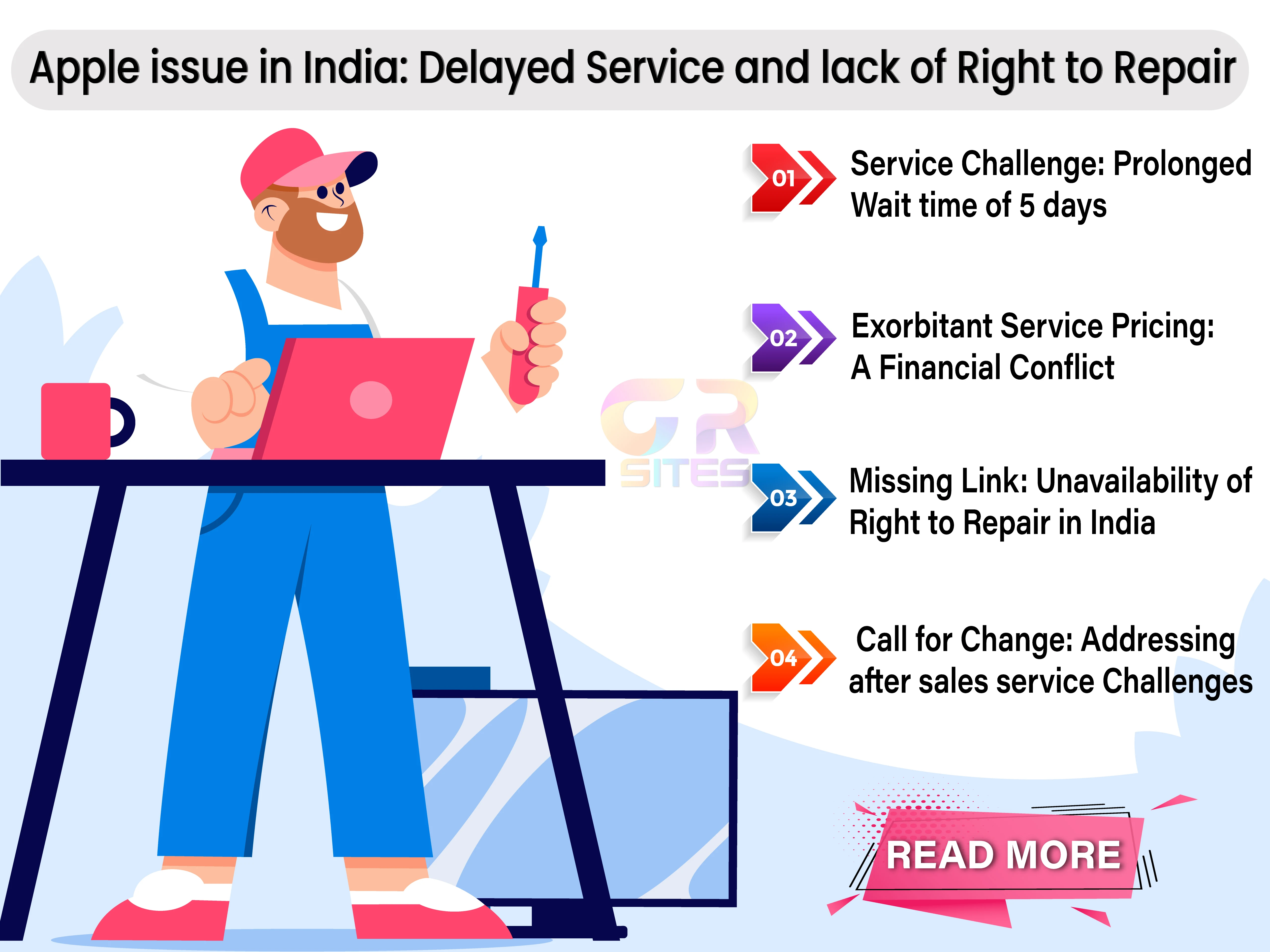
In the bustling landscape of India's tech market, Apple has soared to unprecedented heights, cultivating a massive user base, and establishing itself as a prominent player in late 2023. However, amidst the accolades, there lurk two significant roadblocks that Apple seems hesitant to tackle. This article delves into the intricacies of these challenges and proposes a compelling solution that could revolutionize the Apple experience for its users in India.

The Need for Support Speed: Apple's Service Challenge
  • Long Service Options and the Waiting Game: One of the major stumbling blocks for Apple users in India is the prolonged service options. Even with the protective umbrella of Apple Care+ or the comforting shelter of warranty coverage, users find themselves in a disheartening waiting game. Imagine a scenario where your trusty iPhone or MacBook encounters a glitch, and the prospect of it being back in your hands takes a staggering five working days. In a world where our daily lives are intricately woven with the threads of mobile devices and laptops, a five-day hiatus seems not just inconvenient but almost archaic.
  • The Cost Problem: Exorbitant Service Pricing - Adding salt to the wound is Apple's exorbitant service pricing. The irony is substantial – the cost of repairing a beloved Apple device often dances worryingly close to the price of a new Android counterpart or buying a new Apple product. The financial conflict between opting for a repair and simply replacing the device with a shiny new alternative or new affordable product raises eyebrows among consumers. In this high-stakes game, Apple's service charges seem to echo louder than the sleek symphony of its products.
Unlocking Apple's Roadblocks: A Call for Right to Repair in India
Locked Out: The Right to Repair Mystery
  • Missing Link: Right to Repair in India: However, the plot thickens as we delve into the labyrinth of Apple's service dynamics. The absence of a 'Right to Repair' program in India further complicates the scenario. Unlike the West, where users can revel in the autonomy of repairing their devices with original parts, Indian consumers find themselves at the mercy of Apple's service centers. The third-party service centers, though eager to assist, are often handicapped by limited access to Apple's OEM products. This restriction leaves consumers with no option but to opt for first-quality parts, limiting the breadth of choices in the repair ecosystem.
  • Advocating for Right to Repair in India - Empowering the Consumer: By embracing the right to repair in India, Apple can break free from the shackles of service monopolies. Users would no longer be bound by exorbitant prices or limited access to repair options. Instead, they would have the autonomy to choose the most convenient and cost-effective solution for their device troubles.
  • A Win-Win Situation: Allowing users access to original device parts empowers them to take charge of their devices' well-being. Whether it's a quick fix at home or a visit to a trusted third-party service center, the right to repair hands the control back to the consumers. This not only enhances the overall user experience but also contributes to a sense of loyalty and trust in the brand.
Conclusion: A Call to Unshackle the Roadblocks
In the ever-evolving landscape of technology, adaptability is the key to sustained success. Apple, with its sprawling user base in India, must heed the call to unshackle the roadblocks that impede the seamless experience of its consumers. By addressing the prolonged service options and embracing a 'Right to Repair' program, Apple has the potential not only to retain its user base but to foster a stronger and more enduring relationship with the tech-savvy population of India.In the words of the wise, change is the only constant. It's time for Apple to embrace this maxim, unravel the knots that hinder its users, and step into a future where service is swift, costs are reasonable, and the power to repair lies firmly in the hands of those who wield the devices with unwavering loyalty.

Wednesday, May 24, 2023

iOS Devices: Need for Local NAT Storage Backup

iOS Backup: Need for Local NAT Storage Backup
While Apple offers the convenience of iCloud backup, it's essential to provide users with alternative options. This article explores the need for an option to back up iOS devices like iPhones and iPads to local NAT storage drives, providing users with more control, cost-effectiveness, and flexibility. 

Importance of Device Backups:  

Backing up our devices is crucial to safeguarding our data. In the event of device loss, damage, or data corruption, backups serve as a safety net, ensuring that our valuable information and memories are not lost forever. Apple has recognized this need and offers various backup solutions, including iCloud backup and Time Machine backup.

Convenience of Time Machine Backup: 

Apple's Time Machine backup feature has revolutionized the way Mac users protect their data. With Time Machine, users can effortlessly back up their entire system to a local network-attached storage (NAS) drive, providing peace of mind and easy restoration options. This feature has proven to be a valuable asset for Mac users.

Limitations of iCloud Backup:
While iCloud backup has its merits, it does come with certain limitations. One of the primary concerns is the limited free storage space provided by Apple. As iOS devices continue to capture higher-resolution photos and videos, the 5 GB of free iCloud storage quickly becomes insufficient. This limitation forces users to opt for costly iCloud storage plans, which may not be feasible for everyone.

Need for Local Network Backup:

To address the limitations of iCloud backup, Apple should introduce an option to back up iOS devices to local network-attached storage (NAT) drives. This would provide users with an alternative method of safeguarding their data without solely relying on iCloud.

Benefits of Local NAT Storage Drive Backup:
Backing up iOS devices to local NAT storage drives offers several advantages. Firstly, it empowers users with greater control over their backups. Users can customize the backup process, schedule backups according to their preference, and easily access their data locally.

  • Empowering Users with Choice:  By introducing the option to back up iOS devices to local NAT storage drives, Apple would empower users to choose the backup method that suits their needs. Some users might prefer the convenience and accessibility of iCloud, while others may prioritize the control and cost-effectiveness of local backups.
  • Enhanced Data Privacy and Security: Local NAT storage drive backups also address concerns related to data privacy and security. While iCloud implements robust security measures, some users may prefer keeping their data within their local network, minimizing the exposure to potential online threats.
  • Addressing Cost Concerns: For users who find iCloud storage plans expensive, local NAT storage drive backups offer a cost-effective alternative. Users can utilize existing storage devices or invest in affordable NAT drives with ample capacity, providing a budget-friendly backup solution.
  • User-Friendly Backup and Restoration Process: Apple should ensure that the process of backing up and restoring data to local NAT storage drives is seamless and user-friendly. The backup settings should be easily accessible, and the restoration process should be straightforward, ensuring that users can retrieve their data effortlessly whenever they need it.

Apple's Opportunity to Provide a Solution:
Apple, renowned for its commitment to user experience and innovation, has an opportunity to cater to the diverse needs of its users by enabling local NAT storage drive backups for iOS devices. By doing so, Apple would demonstrate their dedication to user choice, data privacy, and flexibility, further enhancing the iOS ecosystem.

Like Time Machine backup for Macs, the option to back up iOS devices to local NAT storage drives would be a valuable addition to Apple's ecosystem. It would provide users with more control, cost-effectiveness, and flexibility when it comes to safeguarding their data. By offering this alternative, Apple can cater to a wider range of user needs and ensure that data backup and restoration remain accessible to all.
 

Frequently Asked Questions:

  1. Q: Can I currently back up my iOS device to a local NAT storage drive? A:No, currently, Apple only provides iCloud backup as the primary backup option for iOS devices.
  2. Q: Why is local NAT storage drive backup important? A: Local NAT storage drive backup offers users more control, cost-effectiveness, and flexibility in safeguarding their data, allowing them to choose a backup method that suits their needs. 
  3. Q: Are local NAT storage drive backups more secure than iCloud backups? A: While iCloud implements robust security measures, local NAT storage drive backups can provide an added layer of privacy and security by keeping data within the local network.
  4. Q: How can local NAT storage drive backups address cost concerns? A: By utilizing existing storage devices or investing in affordable NAT drives, users can avoid the costs associated with iCloud storage plans, making local backups a cost-effective solution. 
  5. Q: Will Apple consider implementing local NAT storage drive backup for iOS devices? A: While Apple's decisions regarding product features are not disclosed in advance, user feedback and evolving needs often influence their development roadmap.

Wednesday, March 22, 2023

Electric Cars: Challenges for Long-Term Use

Electric Cars: Challenges for Long-Term UseIn recent times, the electric vehicles have been hyped too much as future automotive, an eco-friendly and sustainable substitute for gas-powered cars. However, for me there few concerns about it, like the performance of electric cars over the long-term, including their resale value and the endurance of the lithium batteries.
  • Resale Value of Electric Cars: One of the most significant worries for potential electric car purchasers is the uncertainty surrounding their resale value. Resale value plays major role during car purchase, as most people prefer cars that holds the purchase over longer run and electric car for that matter, doesn’t have any data on holding purchase value in long-term. Additionally, there is a significant difference among electric car models, making it difficult to determine a clear market value like new technology updates over years, degradation of battery life and reduced driving range.
  • Longevity of Lithium Batteries: The most significant obstacles while opting for electric cars is the endurance of their lithium batteries over the years. No matter how good the lithium batteries are maintained, they have chemical characteristics of losing charging capacity over time. This can lead to faster battery draining, durability on rough roads and reduced driving range, which can be a significant issue for drivers who rely on their electric cars daily.
As electric cars continue to evolve, the car manufacturers should focus on making it more advanced and efficient in batteries, than making them more appealing to buyers with their pricing or increased range. To read more such articles, please feel free to check out “G R Team Sites”


Friday, February 3, 2023

Lack of Lock and Unlock Folder Option in MAC OS

Lack of Lock and Unlock Folder Option in MAC OS
Despite many unique benefits in latest software update, Mac OS has a notable limitation in terms of its file management capabilities. Specifically, Mac OS does not have built-in option to lock and unlock folders, making it challenging for users to protect their sensitive data from unauthorized or accidental access. In this article, we'll explore the absence of this most sought-after feature in Mac OS and the potential impact of its unavailability.

Importance of Locking and Unlocking Folders
Locking and unlocking folders is a basic file management feature that allows users to protect their sensitive data. By locking a folder, users can restrict access with password or Touch ID authentication to the contents of the folder, preventing unauthorized access to their private information or sensitive files.

Mac OS does not have a built-in option to lock and unlock folders either through password or touch-ID, making it challenging for users to protect their sensitive data. This limitation is especially concerning for users who need to keep their confidential information or files, such as business owners, lawyers, and financial professionals. Additionally, Mac OS does not provide an easy and convenient way to password-protect folders, making it difficult for users to ensure the security of their sensitive data.

My final thoughts
In conclusion, the absence of a built-in option to lock and unlock folders in Mac OS is a notable limitation for users who need to protect their sensitive data. Although alternative solutions are available, such as third-party software or encrypted disk images, the lack of a built-in solution makes it challenging for users to ensure the security of their sensitive data in MAC laptops or desktops. As technology continues to advance, Apple should consider incorporating this most sought-after built-in option to lock and unlock folders in the future Mac OS software updates. The increasing demand for data security and the growing need for a convenient and easy-to-use solution for folder locking and unlocking may push Apple to address this issue in future. Read more such articles from “G R Team Sites”

Friday, October 7, 2022

Why waiting for M2 Pro is not worth it

Why waiting for M2 Pro is not worth it
Apple could either have an October event in 2022 or could just have press release about the latest product or software launches, as most considerable announcements are covered in September event and the latest launch could only be minor. However, for most performance-oriented users, the M2 Pro would be their most awaited launch and the probability of its launch is much higher now than ever. For me, the M2 Pro launch would not be as significant as the M1 Pro version and may have following implications.
  • M2 Pro performance increase would be negligible: With the launch of M2 version as a successor to M1 version, Apple has made it clear that there would not be considerable increase in performance or new features in every version of the Chipset launch and they would slow down their innovations in future releases. In such decisions, the M2 Pro performance would not be as considerable as M1 Pro and other than slight configuration tweaks, there would not be much drastic improvements.
  • Same design and no major unique features: The M1 Pro version were already packed up with lot of new features like Pro-motion display and advanced SSD/Media engine configurations. So, the newer M2 Pro version might not have any drastic configuration updates or hardware changes over the earlier M1 Pro version, as the change in design or new feature might have been tipped in their latest MacOS software launch.

Hope the above predictions are helpful for people who were waiting for the launch of M2 Pro version and looking to buy latest version of M1 pro with exciting deals & offers. For more such articles or latest information, please feel free to check out the “G R Team Sites”

Thursday, September 8, 2022

Continued to use my fault AirPods Pro for few reasons

Continued to use my fault AirPods Pro

I bought my AirPods Pro during the initial months of launch and Apple has come out with new announcement that due to manufacturing defect, the product manufactured before Oct’20 would be replaced for FREE. Post this announcement, I had suspicious about my AirPods Pro manufacturing defect, but continued to use the product for more than a year for my own reason as detailed below

  • COVID Outbreak and transport restrictions: After suspecting that my AirPods Pro has manufacturing defect, I wanted to check the product at Apple store for the same and get FREE replacement. However, when I was about to go the Apple store there was COVID restriction at my location and the stores were completely closed, I had no other option but to postpone my plan.
  • Usage scratches & dents in the AirPods Pro stem and case: As I was delaying my visit to the Apple store due to COVID restrictions, there was another notable concern of scratches on the AirPods Pro stem and on the case. I was skeptical about the scratches and dent on the product and was worried whether the claim would be rejected due to product damage while usage.

The above factors delayed my visit to the Apple store, and I continued to use my AirPods pro with the manufacturing defect for more than a year. However, finally I was successful on getting my replacement AirPods pro due to manufacturing defect and to know more about my replacement process, please feel free to check out the articles published in “G R Team Sites”

Saturday, November 13, 2021

Storage partition & limit option availability in OneDrive


Storage partition & limit option availability in OneDrive

OneDrive have become my preferred online cloud storage option and I have started to upload all my important work files to OneDrive. It has been few months since I have started to use OneDrive as my preferred cloud storage option and started to use work files directly from OneDrive folder integration into MAC operating system. However, there are few constraints that I have encountered while I was using OneDrive and following are my concerns. 
  • Limit storage in each folder: Since OneDrive provides vast storage option of 1TB for each user in the family, it has become difficult to keep a check on storage that is being used by each folder and should include option to limit storage to certain levels for specific folder, so that the folder can be cleaned up from unwanted files or remove unnecessary backups.
  • Storage Partition between system files and Photo’s backup: OneDrive has been primary backup solution for all my needs, including important work files and to back-up all my photos taken on my iPhone. However, there is no option to partition the folder structure within OneDrive to separate the files that is being uploaded into work files and exclude the personal photos getting merged into work file history. 
Microsoft should enable few options or features for the users to have their files better organized into OneDrive and for more such suggestions, feel free to check out the articles published in “G R Team Sites” 

Tuesday, September 28, 2021

iCloud issues: Lack of always on this device option in iCloud

Apple has numerous iCloud features and lot of exclusive in-built option in MacOS, however there was one of the most annoying option for its users. Let me detail the constraints for users using iCloud in Mac operating system
  • Files getting removed frequently: While storing the files in iCloud, the files are removed randomly and occasionally without no reason. Later, I figured that the files are removed from iCloud folders to save some storage and no matter how much space available in the hard disk, the files are removed from iCloud folders. 
  • Lack of option available to make files available offline: iCloud or Mac Operating system does not have option to enable file available in offline mode and at times, the important files get deleted. There should have been preference option to enable the iCloud files to be available always in the Mac computer and not be deleted for saving storage. 
Hope Apple brings up new update or enhancements to the iCloud preference to make all file available offline and not to be deleted to save storage. For more such articles, please feel free to check out the "G R Team Sites"

Monday, August 9, 2021

Most annoying Spam mails and new features suggestions for Gmail

Recent times for most people across globe, the most annoying part of checking their mails is the spam mails pumped by most unsecured servers and by automated bots. The most concerning part is that the mail service providers have not enforced few restrictions to block spam mails from specific domains and following are my views on introducing new features by mail service providers like Gmail. 
  • Option to block all mails from specific domain address: Usually we get repeated mails from specific domain address and only the prefix name changes. Gmail can provide an option for users to block mails from specific domains and all future mails with the repeated content. 
  • Option to report domain names and block further mails: Gmail provides basic option to report phishing or spam mails, however those mails are just moved to Junk folder and again new mail is received from same domain name. There should have been option report the domain names as well and post reporting the mail, the domain should be blocked from sending any further mails to mail address. 
Hope Google makes note of above feature requests and introduces these features to all mail users, so they can have hassle free mail experience with limited or no spam mails. For more such articles or information from me, please feel free to check out the articles published in G R Team Sites.

Saturday, June 12, 2021

How apple can transform their Smart watch market

I always have preference for smart watch wearables and feel Apple Watch was ahead of competition and has one of the most trusted health tracking features. However, the most disappointing fact about Apple smart watch is its price and affordability. Apple has always maintained its exclusivity and often offer its new features or innovations at premium price; however, Apple can break this tradition and can reach most people by following options. 
  • Apple smart band device: Apple can launch smart bands with only basic health tracking features like heart rate monitoring and steps counter. By limiting the features and tracking options, Apple can keep the device within affordable price range and can help reach more people about having smart wearables. 
  • Alternative smart wearable solution for non-Apple devices: As Apple Watch wearable has one of the most sought-after features, its exclusivity with only iOS device is a real bummer for most users. As for people like me, I use iOS devices and have Apple ecosystem access, however when I wanted to use Apple Watch to track health condition of my elderly parents it was a real showstopper. As my parents are comfortable using android phones and are hesitant to switch over iOS devices. 
For more such posts please feel free to check out the blog posts published in G R Team Sites.

Monday, May 17, 2021

Disappointments from Apple’s recent April Event

Apple event on 20th April had mixed feelings for me, as I was expecting few out of the box announcements from Apple and they would surprise everyone with their trademark “one last thing”. However, there was no such announcements from Apple and the event seemed as predicted from tech experts. Here are few out of the box expectations from me. 
  • Upcoming redesigned Apple Watch: Apple Watch design has been consistent since launch and there was no major redesign or update on design. I was expecting Apple to show a glimpse of next generation Apple Watch with exclusive features and tempting redesign. 
  • Upcoming AirPods 3: the redesigned AirPods have been in rumours for a long time and the leak sites were going a step ahead, by showing glimpses of next version of AirPods. However, for no reason Apple had not made any comment on the same and the most worrying part is that, if at all Apple is going to launch next version of AirPods, there was a huge confusion. Whether the newer version is going to be replacement of AirPods 2 or more advanced version of AirPods Pro. 
With no announcements or updates on above products, we can only hope that Apple addresses or launches next version of the product by September. To know more about such posts, please feel free to check out the blog posts listed on G R Team Sites.

Thursday, April 15, 2021

Frustrated with announcement from Google Photos  

With Google announcing that all photos uploaded to the photo's app post June, will be accumulated against overall account storage, I have been actively looking out for alternative online cloud storage choice with reliability and affordable pricing plan. Finally, I have zeroed on to Microsoft’s OneDrive as my preferred storage choice and while about to pay for the subscription, I noticed a real bummer against OneDrive. Recently, OneDrive app have decided to stop support for the chrome-cast and now users will not be able to share their photos or videos to big TV through Chrome-cast. It was real shocker to me as I have decided OneDrive as my preferred online storage option to backup all my photos and videos, now I come across the news that the OneDrive app has stopped support for chrome-cast. This news was real shocker, as my priority for choice of OneDrive as my preferred online cloud storage was based on assumption that, it had built-in support for chrome-cast. To know more about my choice for preferred online cloud storage for backing up photos, please feel free to check out blog posts in “G R Team Sites” 

Monday, January 18, 2021

Switching from Android to iPhone 11 mobile

I was using my wife’s android phone for past few months and was waiting for launch of affordable version of iPhone from Apple. However, all my plans shattered due to its abnormal price increase and left our charger back and smaller size. With no options left, I had to look out for attractive discounts for iPhone 11 version and trusting steep discounts for festive season, I bought AirPods Pro for its seamless integration with iPhone. After waiting for a long time in a specified shopping site’s portal, there was not much of a discount and I had to check out other online shopping site for offer. Finally, one shopping site had the most attractive pricing and without hesitation I placed the order for payment. Only on payment page I realized that the attractive pricing is applicable only for specific cards and unfortunately, I did not have that card. Post traumatic experience, I reached out to my uncle for the specific card and placed the order for iPhone 11. The experience of shifting to iPhone was another level and to know more please feel free to check out the “G R Team Sites”

Sunday, September 16, 2018

Continuation to iPhone launch review

Follow up to the review of recently concluded iPhone launch event, I was little bit skeptical about the lineup apple has launched this year. The prices for iPhone Xs seem to be too high for a phone and apple being accused of throttling older phones, the current generation phones would be obsolete the very next year. Apple should have handled battery throttling issue differently altogether, as older iPhone users like me felt that the reliability of iPhone has gone for a toss and it's a waste of money to invest on such unworthy phone. Now back to the launch event, it’s unreasonable to price iPhone Xs at higher end and expecting people to buy the phone. As there was one more iPhone launched in this event named “iPhone XR” and few differentiators for this phone would be LCD display and single focus camera. Most reasonable people and user who were on tight budget would definitely opt for iPhone XR as the option made more sense than the other phones because it runs on same A12 bionic processor as other high-end phones. Continue reading at “G R Team Sites”